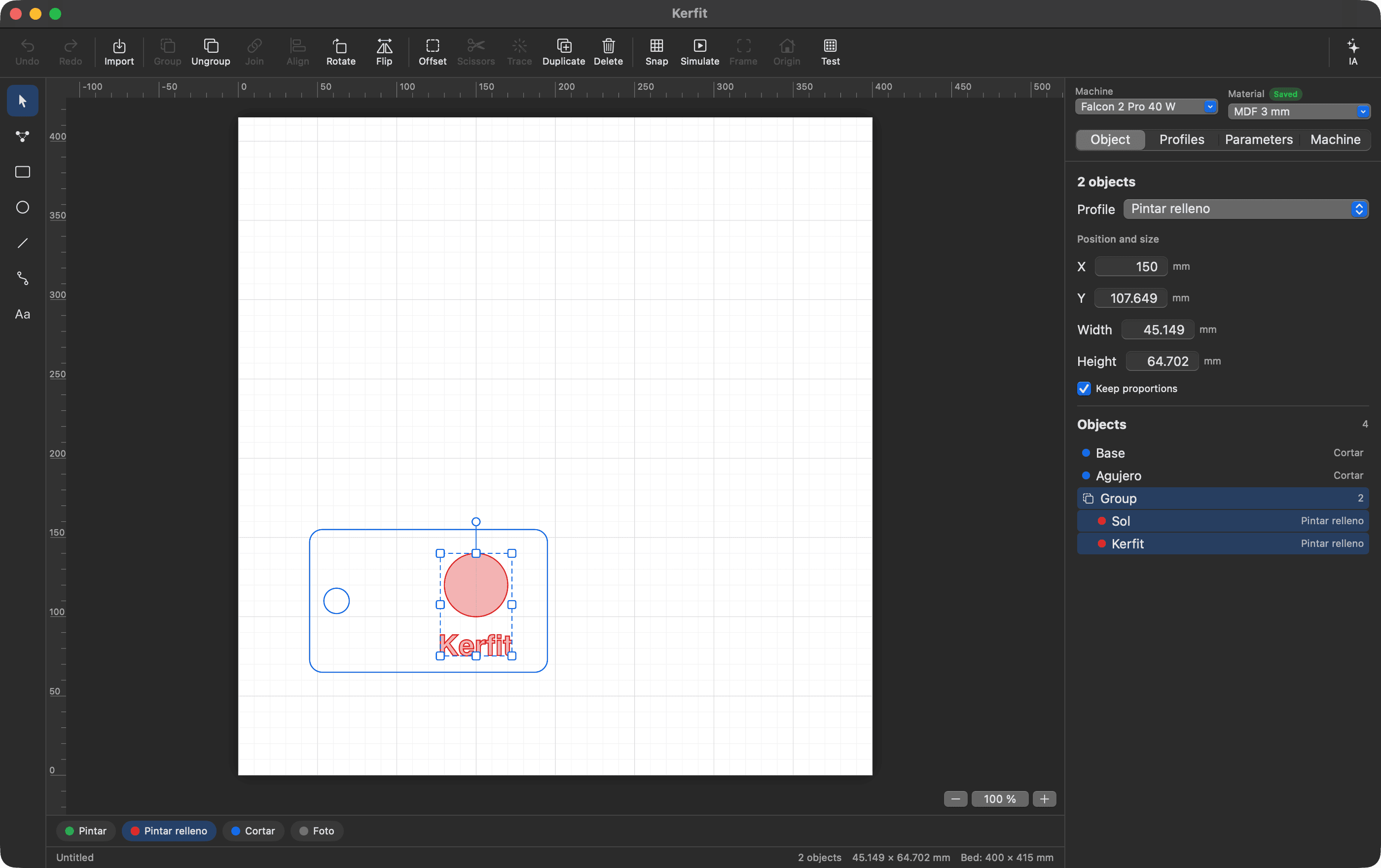
From drawing to cut
Draw or bring your design
Import SVG, DXF or images. Draw shapes and text, edit nodes, round corners, make offsets, and trim what's left over where lines cross. Upload an image and Trace turns it into lines you can edit.
Make it adapt
Use parameters and formulas in any measurement. When the name on a sign changes, the rest of the design and the letter size adjust on their own.
Dial in each material
Pick a machine and a material, and the cut and paint profiles take on their values. Material tests come with cautious ranges, so you don't burn the wood, and what you adjust is saved.
See where it will land
Frame the job with the machine, or take a photo of the bed with the camera. The app removes the fisheye and tells you the error in millimeters.
Review and cut
Before starting you see the toolpath, the time, the maximum power and whether it uses air. During the job, STOP is always in view and answers to Esc. You can also export the G-code to a file.
AI designs. You start the laser.
Kerfit includes a local MCP server, so an assistant like Claude can draw in your design. What burns stays out of its reach: that part of the app isn't even connected to the AI's tools.
The AI can
- Draw, arrange and group pieces
- Trace images and edit nodes
- Create parameters and adjust profiles
- Analyze a job and write the G-code to a file
- Read the machine's status
The AI can't
- Start a job
- Frame or move the head
- Go to the origin
- Send commands to the machine
No setting enables any of this. The MCP server runs only on your Mac, and the changes the AI makes to your design can be undone.
Make me a keychain that says Martin, 3 by 7 cm, with a hole for hanging and the name engraved in outlines.
What it works with
- Tested
- 40 W Creality Falcon 2 Pro, over USB.
- Values included
- 22, 40 and 60 W Falcon 2 machines, based on the material tables Creality publishes. Always run a test on your material.
- Not tested
- Other GRBL machines. They should be able to connect, but we haven't checked yet.
Requires macOS 14 or later.